
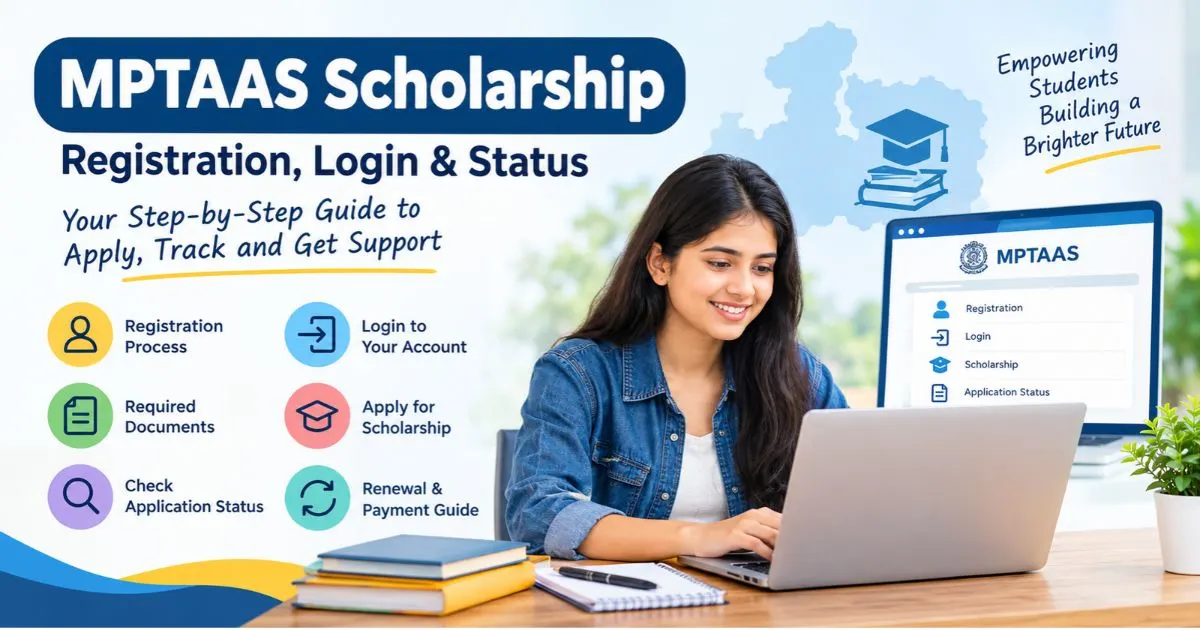
The cost of education can be a major concern for students who want to continue their studies after Class 10. Tuition fees, examination charges, books, accommodation and other academic expenses can put pressure on a family’s budget. Fortunately, eligible students in Madhya Pradesh may receive financial assistance through government scholarship schemes.
One of the important online systems for accessing these services is the Madhya Pradesh Tribal Affairs Automation System (MPTAAS). It helps eligible students access scholarship-related services, manage their beneficiary profiles and follow the progress of their applications.
However, many students and parents have questions before getting started. For example, they may want to know how to register on the portal, whether a Samagra ID is required, which documents to arrange, how to check an application, or what to do when a scholarship payment is delayed.
Therefore, this guide explains the MPTAAS process step by step. You will also know how to avoid common application mistakes, understand different application statuses and find the appropriate place to seek help.
What Is MPTAAS?
MPTAAS stands for Madhya Pradesh Tribal Affairs Automation System. It is an online system associated with the Madhya Pradesh government’s Tribal Affairs and Scheduled Caste Welfare administration.
The system helps digitise departmental services, including beneficiary registration and scholarship-related processes. Consequently, eligible students can use the available online facilities instead of depending entirely on paper-based procedures.
For students, one of the most relevant services is the post-matric scholarship process. Depending on the applicable scheme and eligibility requirements, financial assistance may help cover certain educational expenses.
It is important to understand that MPTAAS is not a scholarship in which every applicant receives an identical amount. Rather, it is a system through which eligible beneficiaries can access applicable services and manage their applications.
MPTAAS Scholarship Overview
| Particular | Details |
|---|---|
| Portal name | Madhya Pradesh Tribal Affairs Automation System |
| Common abbreviation | MPTAAS |
| State | Madhya Pradesh |
| Administering departments | Relevant Madhya Pradesh Tribal Affairs and Scheduled Caste Welfare authorities |
| Main purpose | Digital access to departmental services and scholarship-related processes |
| Beneficiaries | Students belonging to eligible categories under applicable schemes |
| Application mode | Online, wherever the relevant service is available |
| Important identification details | Samagra ID and other details required by the scheme |
| Payment method | As specified under the applicable scheme, including DBT where applicable |
| Official portal | https://www.tribal.mp.gov.in/MPTAAS |
What Is the Purpose of the MPTAAS Scholarship?
The primary objective of scholarship assistance is to help eligible students continue their education without facing an unnecessary financial burden.
For instance, a student enrolled in a recognised college may need to pay tuition fees, purchase books or meet other course-related expenses. Depending on the scheme, scholarship assistance can help cover eligible costs.
Furthermore, an online application system can make it easier to submit information, complete verification and monitor application progress.
The main advantages may include:
- Online beneficiary registration: Eligible students can create a profile using the information requested by the portal.
- Scholarship application management: Students can access the applicable application facilities through their accounts.
- Application tracking: Where available, the dashboard allows students to follow the progress of a submitted application.
- Digital verification: Relevant institutions and departmental authorities can verify information through the prescribed workflow.
- Payment tracking: Students can investigate payment progress where transaction details are available.
- Access to other departmental services: The portal may provide additional facilities depending on the student’s eligibility and the schemes currently available.
Who Can Apply for the MPTAAS Scholarship?
Eligibility depends on the particular scholarship scheme. Therefore, students should not assume that every person who creates an MPTAAS profile automatically qualifies for financial assistance.
The following points are useful when checking eligibility.
1. Residence in Madhya Pradesh
Applicants may need to satisfy the state’s residence or domicile requirements applicable to the scheme.
2. Eligible Caste Category
The portal serves different departmental services, and scholarship eligibility varies by scheme. Students belonging to Scheduled Tribe (ST), Scheduled Caste (SC) or Other Backward Class (OBC) categories should check which department and scholarship rules apply to them.
Do not assume that the same eligibility conditions apply to all three categories.
3. Educational Qualification
The relevant scheme may cover post-matric education, including eligible courses after Class 10.
Depending on the current rules, this may include Class 11 and Class 12, undergraduate programmes, postgraduate courses, diplomas and professional education.
4. Family Income
Some scholarships impose an annual family-income limit. The limit can differ according to the scheme, category or other eligibility conditions.
5. Admission to an Eligible Institution
Students may need to be enrolled in an institution and course recognised under the relevant scholarship rules.
6. Valid Identification and Supporting Documents
Applicants may be asked to provide a Samagra ID, caste certificate, income certificate, Aadhaar-related verification and other information.
Documents Required for MPTAAS Registration and Scholarship Application
Preparing your documents beforehand can make the application process easier. It also reduces the risk of mistakes caused by incomplete information.
The following documents and details may be required, depending on the applicant’s category and scheme.
| Document or detail | Why it may be required |
|---|---|
| Samagra Family ID and Member ID | To identify the applicant and family records |
| Aadhaar card | For identity verification or Aadhaar-based services, where required |
| Caste certificate | To establish eligibility under the applicable category |
| Income certificate | To verify family income, where applicable |
| Domicile or residence proof | To establish state residence, where required |
| Previous examination marksheet | To verify educational qualifications |
| Current admission details | To confirm enrolment in the course |
| Bonafide certificate | To establish student status, if requested |
| Fee receipt or fee details | To support eligible fee-related claims, where applicable |
| Bank account details | To facilitate payment under the applicable scheme |
| Registered mobile number | For account communication and verification |
| Photograph or other records | If requested by the application form |
Practical tip: Check spelling, dates of birth, category details and other personal information across your records before submitting the form. Even a small mismatch can lead to additional verification or correction requests.
How to Register on the MPTAAS Portal
Follow these steps.
Step 1: Open the Official Website
Open the Madhya Pradesh government’s MPTAAS portal:
Check the website address carefully. Third-party websites may publish helpful guides, but they cannot replace the official portal for government account access.
Step 2: Find the Beneficiary Registration Option
Look for the relevant beneficiary profile registration option on the portal.
The wording and layout may change as the system is updated. Therefore, follow the instructions displayed on the current official page instead of relying entirely on screenshots from older guides.
Step 3: Enter Your Required Details
Provide the personal information requested in the registration form.
Depending on the process, this may include your Samagra identification details and other information needed to identify your beneficiary record.
Enter the information accurately. If any details are automatically retrieved from government records, review them carefully and follow the prescribed correction process if something is incorrect.
Step 4: Complete Identity Verification
Complete any identity verification or e-KYC steps required by the portal.
For example, the system may direct you to a prescribed authentication process. Follow the instructions shown on the official website.
If verification fails, do not repeatedly enter incorrect details. Instead, check the information in your records and use the authorised assistance channel.
Step 5: Create or Confirm Your Login Credentials
If the registration process asks you to establish account credentials, follow the displayed instructions.
Step 6: Review and Submit
Before submitting the registration form, check the information one final time.
Once the registration is completed, save any confirmation or reference details provided by the system. You may need them later when accessing your account or seeking assistance.
How to Log In to the MPTAAS Portal
After registration, students can use their account to access the services available to them.
Follow these general instructions:
- Open the official MPTAAS portal.
- Select the relevant student or beneficiary login option.
- Enter the credentials requested on the page.
- Complete the displayed security verification, if applicable.
- Submit the login form.
- Once your dashboard opens, locate the relevant scholarship or application section.
The exact menu names may vary. Therefore, use the options currently displayed in your account.
If you cannot log in, first check whether the username and password have been entered correctly. Also, make sure that the keyboard’s Caps Lock setting is not causing an error.
If the problem continues, use the official account-recovery facility, where available, rather than creating another account immediately.
How to Apply for the MPTAAS Scholarship
After registering and logging in, check whether the relevant scholarship application is available for your course and academic session.
Step 1: Open the Scholarship Application Section
Log in to your beneficiary account and locate the applicable scholarship or post-matric scholarship section.
Select the correct academic year. This is particularly important if you are applying for a new session or continuing from the previous year.
Step 2: Check Your Personal Information
Review your name, identification details, category and other personal information.
If the portal retrieves information from linked records, compare it with your supporting documents.
Where corrections are necessary, follow the authorised correction process before proceeding.
Step 3: Enter Your Educational Details
Provide the requested information about your current course, institution, admission and previous academic qualifications.
Check the course name and year carefully. If your institution or course details are missing or incorrect, contact the institution’s scholarship office before submitting the application.
Step 4: Enter the Required Financial and Bank Details
Fill in the financial information requested by the application.
Where bank details are required, check the account holder’s name, account number and other requested information against your bank records.
If the scheme uses Aadhaar-based Direct Benefit Transfer (DBT), confirm that the relevant bank-linking and payment requirements have been satisfied.
Step 5: Upload Supporting Documents
Upload the documents requested by the portal in the permitted file format and size.
Make sure that each document is readable. For example, an unclear photograph of an income certificate may make it difficult for the verifying authority to confirm the information.
Step 6: Review the Entire Application
Before final submission, check every section., like:
- Academic session and course details.
- Caste and income information.
- Admission and institution records.
- Bank details, where applicable.
- Uploaded documents.
- Any declaration or consent requested by the portal.
Step 7: Submit the Application
Once everything is correct, submit the application using the relevant option.
Save the acknowledgement or application reference number if one is generated. It will help you identify the application later.
Step 8: Follow Up on Verification
After submission, check the application status periodically.
Your institution or the concerned department may need to verify the application before it can proceed to approval or payment.
How to Check MPTAAS Scholarship Application Status
Follow the below steps to check if your application is awaiting verification, has been approved or requires attention.
Use the following process.
- Visit the official MPTAAS portal.
- Log in with your registered credentials.
- Open the relevant scholarship application section.
- Select the applicable academic session, if requested.
- Locate your submitted application.
- Open the status or application details option available on the dashboard.
- Read the displayed status and any accompanying remarks.
The available labels and menu names may vary between services and academic sessions. Therefore, the explanation shown against your own application should take priority.
What Does Each MPTAAS Application Status Mean?
The following are the common scholarship-processing terms that are used at different labels, and the meaning.
| Status | General meaning | What you should do |
|---|---|---|
| Submitted | The application has been received by the system | Save the acknowledgement and check for further instructions |
| Pending | Some processing or verification is still outstanding | Check the remarks and identify which office must act next |
| Under Verification | The submitted information is being checked | Contact your institution if verification is pending there |
| Approved or Sanctioned | The application or benefit has received the relevant approval | Check whether any additional payment-processing stage remains |
| Rejected | The application has not been accepted at that stage | Read the reason and ask about the permitted correction or appeal process |
| Payment Pending | The payment has not yet completed the relevant processing stage | Check the payment remarks and contact the responsible office |
| Payment Processed | A payment-processing step has been recorded | Verify the transaction details and check your bank account |
| Failed or On Hold | Processing has encountered a problem or has been paused | Investigate the stated reason and follow the prescribed resolution process |
MPTAAS Scholarship Payment Not Received: What Should You Do?
A delayed scholarship payment can be worrying, especially when you are depending on the money to meet educational expenses.
However, there are several possible reasons for a delay. Therefore, it is better to identify the exact stage of the application before taking action.
1. Check Whether Your Application Has Been Approved
First, log in to the portal and check the latest status.
If the application is still awaiting institutional verification or departmental approval, the payment may not yet be ready for release.
In that case, contact the office responsible for the pending step instead of focusing only on your bank account.
2. Check the Payment Information
If your application has been approved, look for transaction or payment information, where available.
Check whether a payment reference, processing date or failure remark is displayed.
3. Verify Your Bank Account Details
Check that the bank account information recorded in your application is correct.
An incorrect account number, an inactive account or a mismatch in account details may create problems, depending on the payment process.
4. Check Aadhaar and NPCI Linking Where Applicable
Some government benefit payments use Aadhaar-based DBT arrangements. In such cases, the relevant Aadhaar-bank mapping and NPCI status may affect payment processing.
However, this does not mean that every delayed payment is caused by NPCI linking.
Ask the bank to confirm the applicable status and contact the scholarship office if the portal displays a related error.
5. Contact Your Institution’s Scholarship Office
If the application is pending verification, the institution may be able to explain what is outstanding.
Take your application reference number, academic details and the status shown on the portal.
Ask a specific question, such as whether the application has been verified, forwarded or returned for correction.
If the problem remains unresolved, use the official department’s available grievance or support facility.
Keep a record of your complaint reference, the date of submission and any response received.
This creates a clear history of the issue and makes follow-up easier.
How to Renew an MPTAAS Scholarship Application
Students continuing their studies may need to complete a renewal or submit a fresh application, depending on the scheme and academic session.
Do not assume that an application from the previous year automatically carries forward.
Follow these steps:
- Log in to your existing account.
- Select the current academic session.
- Look for the applicable renewal or scholarship application option.
- Confirm your current course, year of study and institution details.
- Update the information requested for the new session.
- Upload any documents that have expired or need updating.
- Review and submit the application.
- Check the status until the relevant processing stages are complete.
If you have changed colleges, courses or educational levels, make sure the portal reflects the correct information.
If the renewal option is unavailable, contact your institution’s scholarship office before creating a new profile or submitting a duplicate application.
What to Do If You Forget Your MPTAAS Login Password
Forgetting a password does not necessarily mean that you need to register again.
First, open the official portal and look for the available password-recovery option.
Then follow the verification instructions displayed by the system. Depending on the current recovery process, you may need your registered account details or another requested identifier.
If you cannot access your registered mobile number, check whether the portal provides an authorised alternative recovery procedure.
If no suitable option is available, contact the relevant official helpdesk or institution for guidance.
Common MPTAAS Application Problems and Their Solutions
Following re the common problems and their possible solutions:
| Problem | Practical next step |
|---|---|
| Registration is unsuccessful | Recheck the entered details and follow any error message shown |
| Personal information is incorrect | Identify the source record and follow the authorised correction procedure |
| Institution or course is missing | Contact the institution’s scholarship office |
| Document upload fails | Check the permitted file type, size and readability |
| Application remains pending | Identify the office responsible for the outstanding verification |
| Application is rejected | Read the stated reason and ask about the permitted correction or appeal process |
| Payment is delayed | Check the sanction and payment stages, then verify bank details where applicable |
| Bank transfer fails | Obtain the exact failure reason from the portal or responsible office |
| Login is unsuccessful | Recheck credentials and use the official recovery option if needed |
| Application information does not match | Compare the portal entry with the original documents and seek an authorised correction |
Frequently Asked Questions About MPTAAS Scholarship
1. What is the full form of MPTAAS?
MPTAAS stands for Madhya Pradesh Tribal Affairs Automation System. It is an online system associated with the Madhya Pradesh government’s departmental services.
2. Which is the official MPTAAS website?
The official government portal is associated with the Madhya Pradesh Department of Tribal Affairs and Scheduled Caste Welfare. Students should start from https://www.tribal.mp.gov.in/MPTAAS and verify the destination before logging in.
3. Can I apply for the MPTAAS Scholarship online?
Eligible students can access applicable scholarship services online when the relevant application facility is available.
4. Is a Samagra ID required for MPTAAS?
Samagra identification details are important for relevant beneficiary registration and scholarship processes.
5. Which students are eligible for the MPTAAS Scholarship?
Eligibility depends on the scholarship scheme. Relevant factors may include the student’s category, residence, educational course, institution and family income.
6. How can I check my MPTAAS scholarship status?
Log in to the official portal, select the relevant academic session and open the submitted application. Detail guide is given above.
7. Why is my MPTAAS scholarship payment delayed?
Possible reasons include pending verification, incomplete approval, incorrect bank details or an issue in the payment process.
8. What should I do if my MPTAAS application is rejected?
Read the rejection reason carefully. Then contact the relevant institution or departmental office to determine whether correction, resubmission, appeal.
9. Does MPTAAS guarantee a fixed scholarship amount?
No. The amount is not necessarily identical for every student. It depends on the applicable scheme rules and the benefit approved for the individual application.
10. What should I do if my course is not listed?
Contact your institution’s scholarship office and confirm whether the course and institution are covered under the relevant scheme. Do not select an unrelated course simply to complete the form.